
Download Ultrasurf VPN APK 3.0.9 for Android
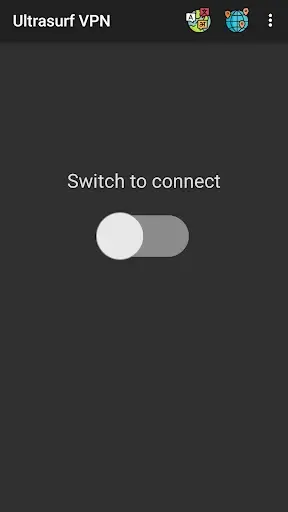
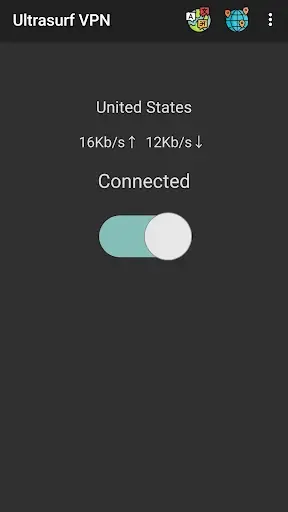
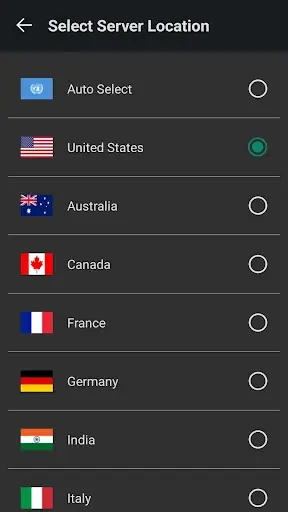
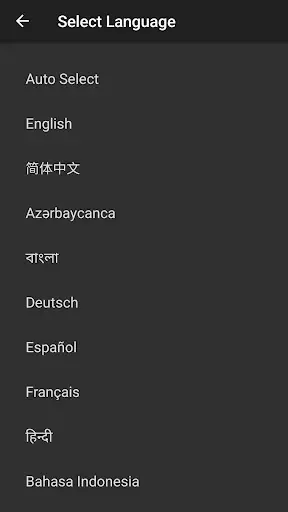
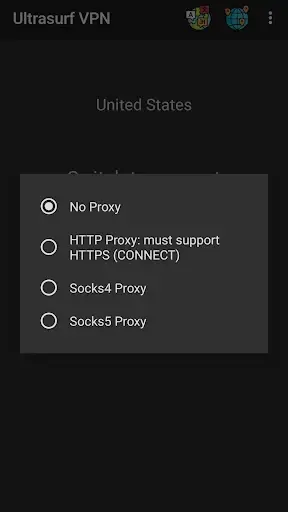
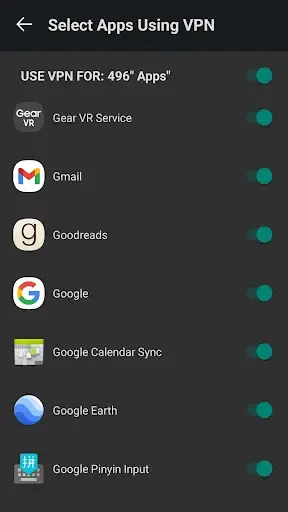

Have you ever found yourself staring at a frustrating “Access Denied” screen while trying to check your social feeds, watch a regional video, or download a study guide at school or work? Internet restrictions can completely ruin your digital workflow. Fortunately, Ultrasurf VPN APK offers an elegant, zero-fuss solution to reclaim your online freedom. By routing your device’s traffic through an advanced, highly encrypted proxy network, this legendary privacy tool lets you bypass rigid censorship and geo-blocks seamlessly. It transforms your Android smartphone into an invisible gateway to the global web, keeping your actual identity entirely hidden from prying eyes.
The Evolution of a Digital Legend: From Desktop to Android
For anyone who remembers the early days of the modern internet, the name Ultrasurf carries a profound sense of nostalgia. Long before virtual private networks were a mainstream commodity or a buzzword on tech blogs, a small desktop utility sporting a simple golden sailboat logo became a lifeline for millions. It was the ultimate weapon against aggressive school firewalls and strict state censorship. It didn’t ask for money, it didn’t require an IT degree to configure, and it just worked.
As the world migrated from bulky desktop computers to sleek mobile devices, the need for uncensored internet access only grew more urgent. Recognizing this shift, the developers at UltraReach brought their battle-tested anti-censorship technology straight to mobile ecosystems via the Ultrasurf VPN APK. This isn’t just a lazy port of an old Windows app; it is a highly optimized, lightweight tool rebuilt specifically for the demands of modern mobile data networks, maintaining its core philosophy of delivering absolute internet freedom without compromises.
Deep Dive: What Makes This Tool Stand Out in a Crowded Market?
If you take a quick scroll through any app marketplace, you will find hundreds of tools promising secure browsing. However, the APK version of this utility continues to attract millions of standalone downloads globally. The reason lies in its fundamentally different approach to user privacy and traffic obfuscation:
1. Cutting-Edge Traffic Masking (TLS 1.3)
Standard security tools typically route your data through protocols like OpenVPN or WireGuard. While highly secure, these protocols leave distinct digital footprints that deep-packet inspection (DPI) firewalls used by corporations or network providers can easily detect and block. This tool operates differently. It wraps your entire internet traffic within standard TLS 1.3 encryption—the exact same protocol used by secure HTTPS websites like banking portals or online shops. To network administrators, you aren’t using a bypass tool; you are simply browsing a normal webpage.
2. Absolute Anonymity via Zero Registration
Most modern security apps treat your personal information as currency. They force you to create an account, verify an email address, link a social profile, or input payment details even for a “free trial”. This tool eliminates that data-harvesting step entirely. There are no registration fields, no profiles to build, and no passwords to remember. You download the file, open the interface, flip the switch, and you are immediately protected. Your right to privacy is respected right out of the box.
3. Truly Unlimited, Free Bandwidth
The “freemium” model utilized by competing apps often comes with annoying strings attached—data caps that run out after a few minutes, forced video ads every time you switch pages, or heavily throttled speeds that make streaming impossible. This tool breaks that mold by providing unrestricted bandwidth with zero hidden costs. Whether you are downloading large files, catching up on live streams, or scrolling media-heavy platforms for hours, your connection remains stable and unmetered.
Hands-On Performance: Sailing Across Web Barriers
To evaluate how well this mobile utility stands up to daily wear and tear, I installed the package on a mid-range Android phone and tested it as a daily driver across multiple network environments. The setup footprint is impressively tiny—taking up less than 20MB of storage spaces, which means it won’t hoard system memory or drain battery life in the background like bloated alternative platforms.
When connected to a heavily monitored public Wi-Fi hotspot known for throttling streaming services, the app performed flawlessly. With a single tap on the centralized power button, the connection established itself within three seconds. Browsing speeds remained snappy, web pages loaded without rendering delays, and streaming video playback held steady at 1080p without buffering cycles. Furthermore, the built-in system integration acts as a reliable kill switch, meaning your real IP address won’t accidentally leak if your physical Wi-Fi signal drops momentarily.
Step-by-Step Installation Guide for the Android Package
Because this utility is optimized as a standalone package to ensure maximum deployment flexibility away from regional digital storefront limitations, you will need to install it manually. Follow these straightforward steps to get up and running safely:
Step 1: Enable Installation from Unknown Sources
Android devices require manual permission to run installation files sourced outside of their built-in storefronts. Navigate to your device’s Settings, open the Security or Privacy menu, locate the option labeled Install Unknown Apps, and grant permission to the specific web browser or file manager you intend to use to fetch the file.
Step 2: Fetch and Extract the Installer File
Click on the download link from a verified, trusted platform to grab the latest iteration of the installer file. Because the payload size is incredibly compact, the transfer process should conclude within a matter of moments depending on your network connection.
Step 3: Trigger the Setup Process
Launch your favorite local file manager app, locate your device’s default Download folder, and tap directly on the fetched file. A native security dialogue box will appear on your screen asking for confirmation. Tap Install, wait for the progress bar to finish, open the application, and enjoy an open internet environment.
›
›
›
›
Conclusion: The Ultimate Tool for Unrestricted and Private Mobile Web Access
When evaluated as a standalone security asset, Ultrasurf VPN APK avoids trying to be everything to everyone. It doesn’t clutter your device storage space with unnecessary widgets, visual gimmicks, or confusing setting configurations. Instead, it aims to master a singular, crucial objective: providing a secure, unblocked pathway to the global web while preserving user privacy. If you require a rapid, dependable, and completely cost-free utility to drop network restrictions without jumping through the hurdles of complex registration forms, this pocket-sized utility remains a premiere option for Android devices. Secure your package copy today and explore the web without artificial limits!
Available Versions of Ultrasurf VPN
Apps in the Same Category